





Disco Shift
Menu
Hospitality work, made clearer

Great people.
Great shifts.

Make your next shift a great one. Find hospitality work that fits your week, or build the team your venue needs. See the role, hours and pay before you commit.

Explore shifts
Free to join No subscription Clear pay and fees

Now open across Great Britain For professionals and business representatives aged 18+. Complete your checks and find your next shift or hire.

A bartender at work in a hospitality venue
Made for hospitalityFrom front of house to the kitchen
Find your kind of shiftFrom the bar to the kitchen—and everything that keeps a venue running.
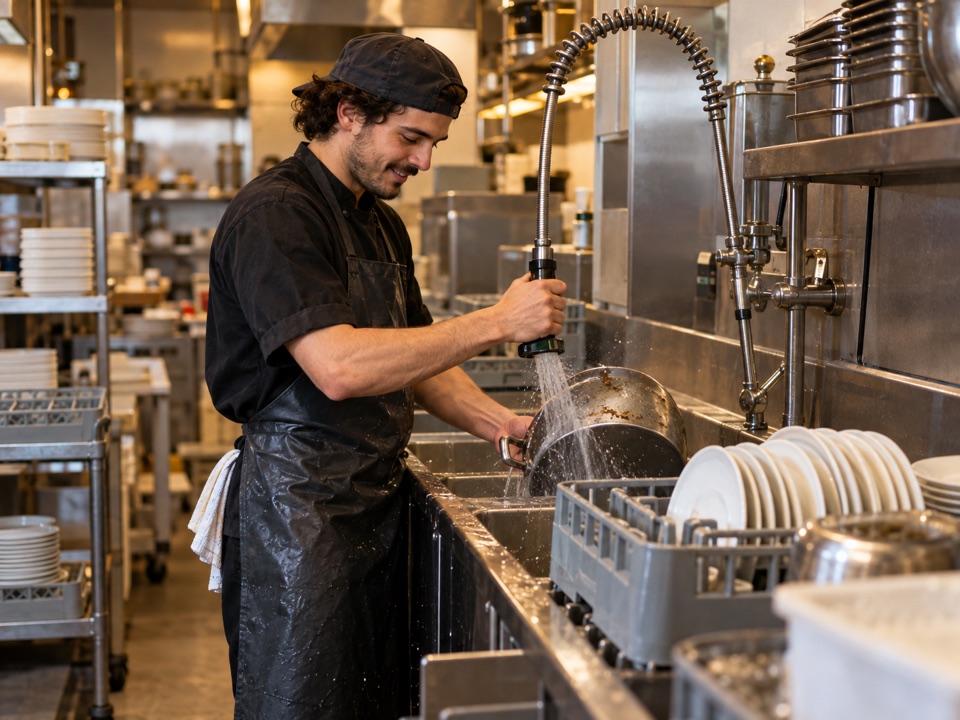
Behind the barBartenderFront of houseWaiterReady for serviceCleanerIn the kitchenChefKitchen teamKitchen porterBehind the counterBaristaSet the atmosphereDJ
Pick up a shift

Find your next shift

Find your place behind the bar, on the floor or in the kitchen. Compare the venue, hours and hourly pay, then apply for a shift that suits you.

Finding available shifts…

Checking the current listings.

Simple, transparent pricing

Clear costs before you book.

Create an account and post shifts for free. When booking a Professional, the Business pays the scheduled shift amount plus Disco Shift’s £4 per-professional, per-hour fee through the app. Tips aren’t included in our fee.

For a live booking, Disco Shift receives the Business payment through Stripe Checkout. After both sides confirm completed hours, the Professional checks and submits an invoice; Disco Shift reviews it and can initiate an approved payment through Stripe Connect to the Professional’s verified connected account.

See the cost before you confirmDisco Shift fee: £4 per professional per paid hour
Estimated total before applicable VAT£152.00
Show breakdown
Professional pay1 professional × 8 hours × £15.00£120.00
Disco Shift fee1 professional × 8 hours × £4.00£32.00

Total = professional pay + Disco Shift fee. Paid breaks count as paid hours. Tips are passed through without an extra Disco Shift fee.

For live bookings, payment is taken through Stripe Checkout when you confirm a professional. After the shift, submit hours and any tip. You’ll authorise any extra amount; a lower final amount is refunded. Once both sides confirm the hours, the Professional submits an invoice to Disco Shift for review. Approved payments are initiated through Stripe Connect.

No Disco Shift fee on tips

The final amount uses confirmed hours and pay. Any increase over the original payment requires the business to authorise the difference; a lower amount is refunded. Applicable VAT on Disco Shift’s fee is shown separately. Stripe sends approved invoice payments to the Professional’s verified connected account under its payout schedule.

Two sides, one better shift

Here’s how Disco Shift works.

Whether you’re picking up a shift or filling one, the steps and costs are clear before you commit.

For professionals

Choose work that fits.

Bring your experience to new venues. Create a free profile and discover shifts that fit your skills and schedule.

1Set up your profile. Add your experience and connect Stripe to receive approved invoice payments.
2Find a shift. Check the venue, hours and pay, then apply.
3Check your hours and pay. After the shift, review the hours and any tip in your dashboard.
For hospitality businesses

Find the right people.

Keep your next service running smoothly. Post a shift for free, explore applicants’ experience and choose the people for your team.

1Post your shift. Add the role, times, hourly pay and number of people you need.
2Choose your team. Review applicants’ profiles, experience and completed-shift feedback.
3Confirm and pay. Pay through Stripe Checkout after approving a Professional and before the shift. After both sides confirm the completed hours, the Professional submits an invoice. Disco Shift reviews it and can initiate an approved payment through Stripe Connect.
Clear expectations

Know who you’re working with.

Profiles show relevant experience, completed shifts and reviews so both sides can make an informed choice. A professional’s private contact details are shared with the business after the booking is confirmed.

For every shift, check the role, location, hours and pay before you apply or book.

Straight answers

Good to know before you join.

Is it free to sign up?

Yes. Professionals and businesses can create an account and profile for free; there is no signup or subscription fee. The service is open to adults aged 18 and over for work in England, Scotland and Wales. Businesses must complete verification before posting shifts.

When is a shift booking confirmed?

Applying is not a booking. The venue Business contracts with the Professional when its approval is recorded in the app. The Business must then complete the separate Stripe Checkout payment before the shift. Applying alone is not a booking; check your dashboard for approval and payment status.

Do Professionals need to be self-employed?

Disco Shift’s model requires Professionals to offer services through their own genuinely self-employed business and choose whether to accept each shift. A contract label or invoice does not decide legal status: it depends on the real working arrangements and applicable law. Do not accept a booking on a basis that does not reflect how the work will actually be arranged. Read GOV.UK’s employment-status guidance.

Are scheduled breaks paid?

Yes. The full scheduled shift period includes scheduled break time, and the Business must not deduct that time from paid hours. Statutory rest-break rights still apply.

Who pays the Professional, and how?

The Business pays Disco Shift through Stripe Checkout before the shift. After completed hours are confirmed, the Professional submits an invoice naming the venue Business as customer, c/o Disco Shift. Disco Shift receives, reviews and processes eligible approved invoices on Fridays; submit by Thursday at 23:59 UK time. A Friday bank holiday in England and Wales moves processing to the next working day. Stripe pays the linked bank account under its payout schedule, so Friday processing does not guarantee Friday bank arrival. Queries, missing information or provider delays must not postpone sums legally due. Contact support promptly if a payment is overdue.

What does the Professional need to receive payment?

For live invoice payments, the Professional must complete Stripe’s connected-account setup and verification. Stripe collects the bank and identity details needed for payouts; Disco Shift does not ask you to enter your bank account number or sort code in the app. Complete your setup before submitting a live invoice.

How much does Disco Shift charge?

The Business pays Disco Shift’s £4 per-Professional fee for each paid hour; tips are excluded. The checkout estimate uses scheduled hours and pay, including scheduled paid breaks. For example, 8 hours at £15/hour means £120 Professional pay plus a £32 fee, or £152 before any applicable VAT. See the pricing example.

How are actual hours, tips, and corrections handled?

After the shift, the Business submits actual paid hours and any tip. The Professional can accept the details or query them so the Business can correct and resubmit. A higher total needs further Business payment authorization; if the accepted total is lower, the difference is refunded. No additional Disco Shift fee is added to tips. These app steps do not waive any statutory payment rights.

What happens if a Professional is reported as a no-show?

A report is not treated as a confirmed no-show while it is under review. The Professional has 24 hours after notice to query it in the dashboard or by emailing support@disco-shift.co.uk. Disco Shift reviews the information from both sides, records its reasons, and aims to decide within two working days after a query. If upheld or not queried in time, the Business’s payment is refunded and no Professional invoice is created in the app. If overturned, the no-show is removed and the Business is asked to submit the correct hours. A correction or second review can be requested through support.

What happens if a Business cancels a shift?

If a professional has accepted, a cancellation at least 24 hours before the shift retains £2 per scheduled hour per still-approved professional for Disco Shift and refunds the remaining eligible amount; no professional compensation applies. Less than 24 hours before the shift, Disco Shift retains £3 per scheduled hour per still-approved professional and allocates 20% of scheduled pay to each professional still approved when cancellation is recorded. Any remaining eligible amount is refunded. After the refund is initiated, late-cancellation compensation is queued for admin review; an administrator must separately authorize the Stripe transfer. A recorded or queued allocation is not proof it has been paid. If no professional has accepted, no cancellation fee or compensation applies. Professional cancellations follow a separate full-refund policy. The hourly fees apply to new bookings; earlier bookings retain their recorded pricing. See the full terms for details.

Does a VAT number verify a Business?

Businesses need administrator approval before posting shifts. They can provide Companies House details, a VAT number with an authority check, or request an alternative trader review. VAT registration is not required. A register match alone does not prove who controls the account; the administrator also records evidence of representative authority. Read the Business terms.

How is right to work checked?

A current right-to-work check must be recorded in Disco Shift before a Business can confirm a Professional for a shift. A Home Office share code is not available to everyone; another prescribed route may be used. The Business must check that the person who arrives is the person covered by the check and review any work restrictions. A record in the app is not a guarantee of identity or legal compliance. See GOV.UK guidance.

How do I check in for a shift?

When you arrive, ask the Business for your booking’s check-in code and enter it in your dashboard. A successful check-in is saved with a timestamp and can be considered if a no-show report is reviewed. If the code doesn’t work, ask the Business to check it and contact support if you still need help.

What does the BM Hospitality Certified badge mean?

Professionals can submit evidence of an eligible course for review. If approved, a badge appears on their profile. It means Disco Shift reviewed the submitted evidence; it does not mean BM Hospitality Services issued or endorsed a separate certification. Training is optional.

What’s your next shift?

Find work that fits your week, or find extra people for your venue.

Building better hospitality

Training with BM Hospitality Services.

Complete an eligible BM Hospitality Services course, then submit it for verification to add a training badge to your Disco Shift profile. Training is optional and separate from signing up.

Explore BM Hospitality Services
BMHOSPITALITYSERVICESDisco Shift’s first training partner
See it in action

Your next shift, step by step.

Take a quick tour of Disco Shift. Choose your guide and see how everything works, from finding a shift to wrapping up the work.

Current pricing: £4 per professional per paid hour. Business cancellation retains £2 per scheduled hour with at least 24 hours’ notice, or £3 per hour plus 20% Professional compensation with less notice. These rates apply to new bookings. The recorded guides may show earlier prices.

For professionals3 min 25 sec

Find work that fits your week.

Explore the professional dashboard, apply for a shift, follow your application and see what happens after your work is complete.

For hospitality businesses4 min 23 sec

Build the team your shift needs.

See how to post an advert, review an application and profile, confirm a professional, and manage your shifts.

Both guides include voice-over and on-screen captions. Use the controls to pause, replay or move along the timeline.